

The CAN specialist
-Hidden- -Hidden-
Nederlandse taal English language
Skip to main content
Phasing out

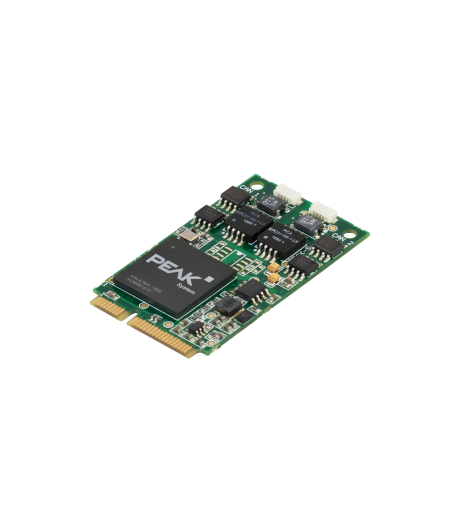
CAN-IB120/PCIe Mini

PC PCIe Mini interface with max 2x CAN, galvanic isolation (optional)

On request


The Ixxat CAN-IB120/PCIe Mini supports the CAN protocol
CAN-IB120/PCIe Miniby Ixxat

Request for quote

Ask a question

The CAN-IB120/PCIe Mini is nearing the end of its product lifecycle and will no longer be available as of 01-05-2028.
Contact us for possible alternatives.

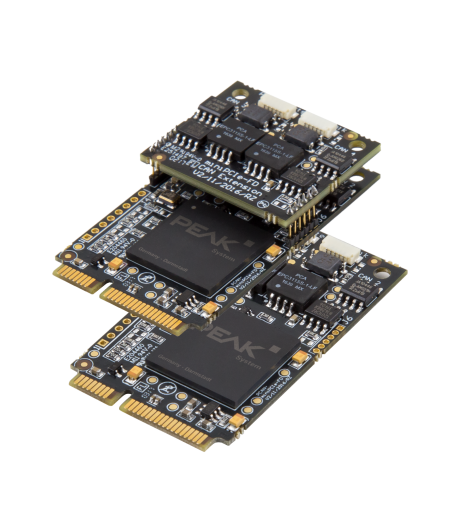
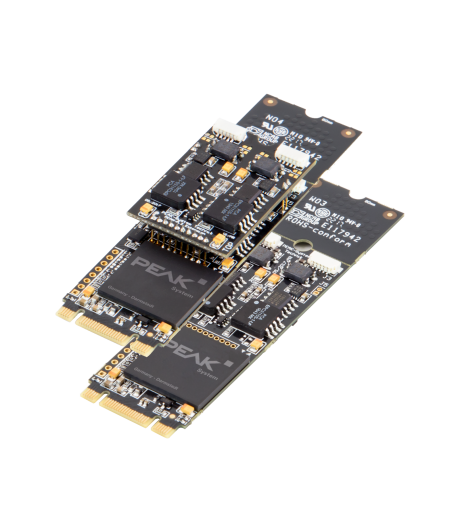
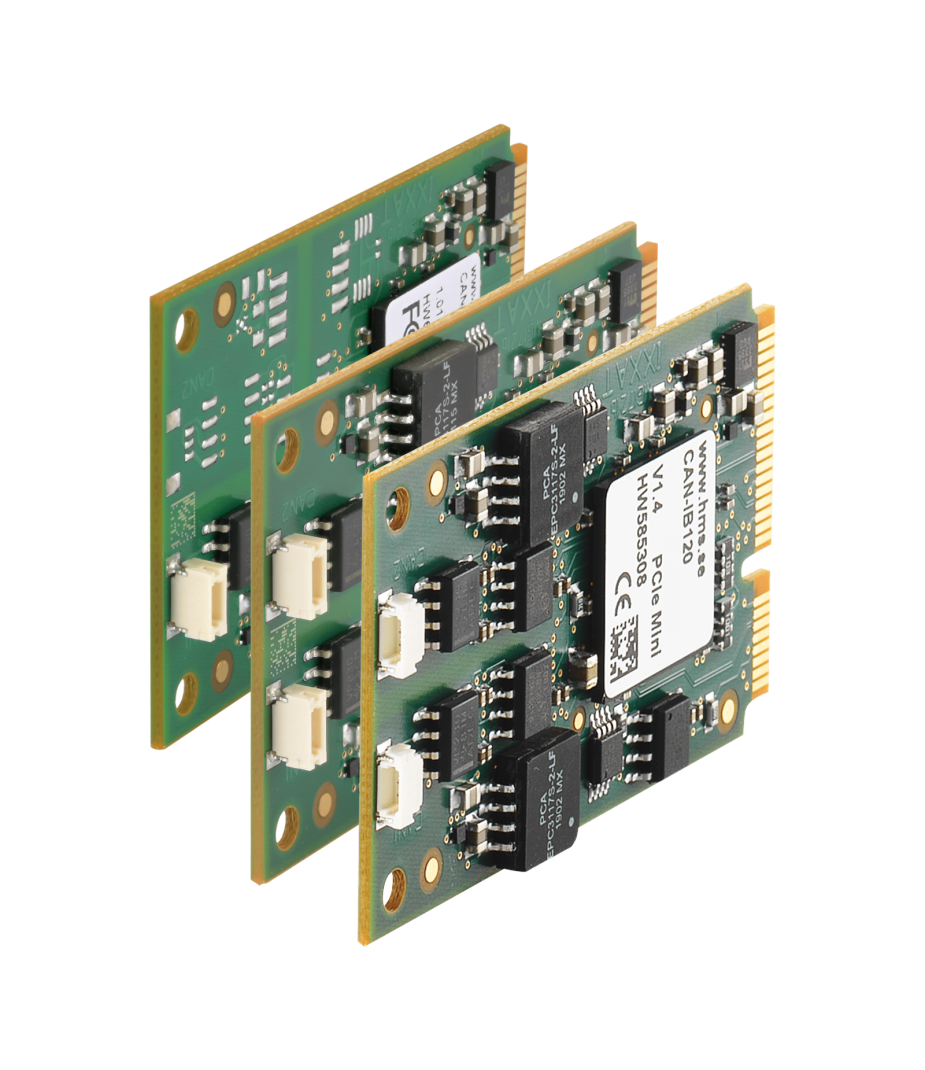
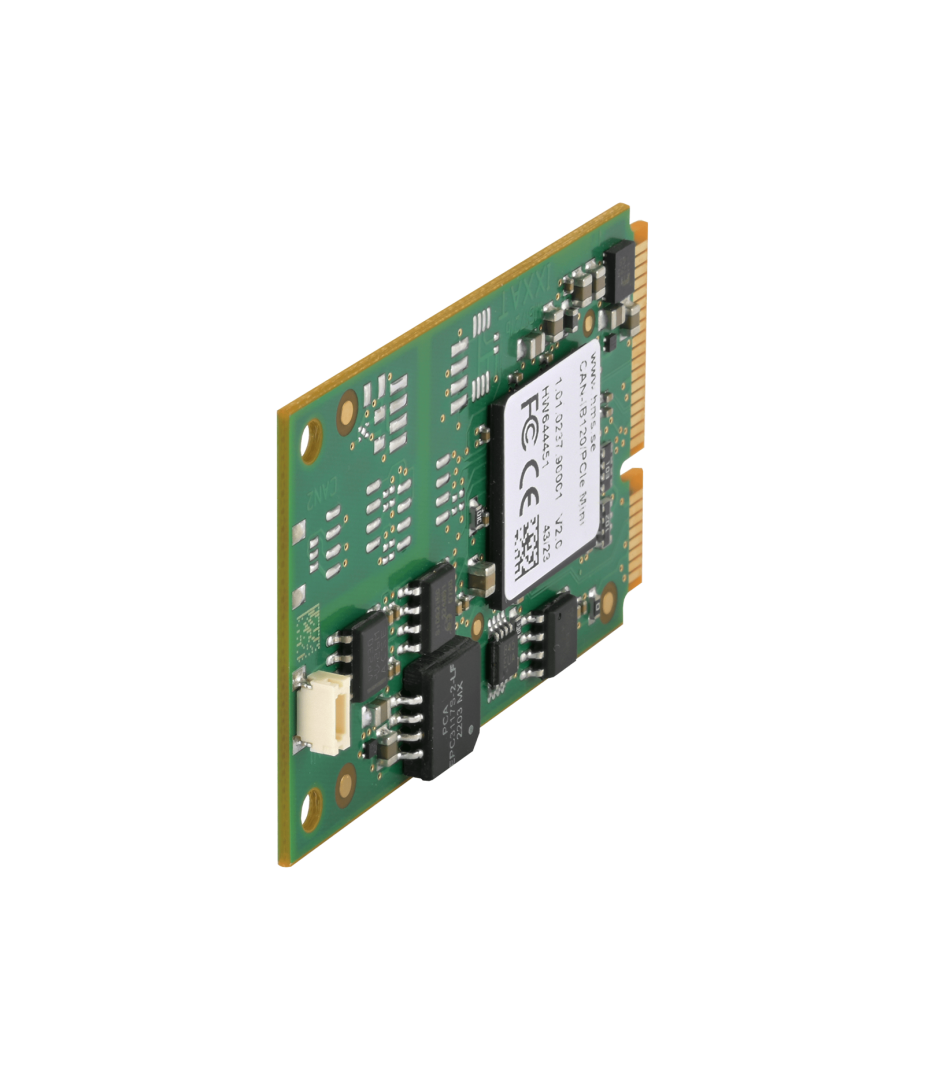
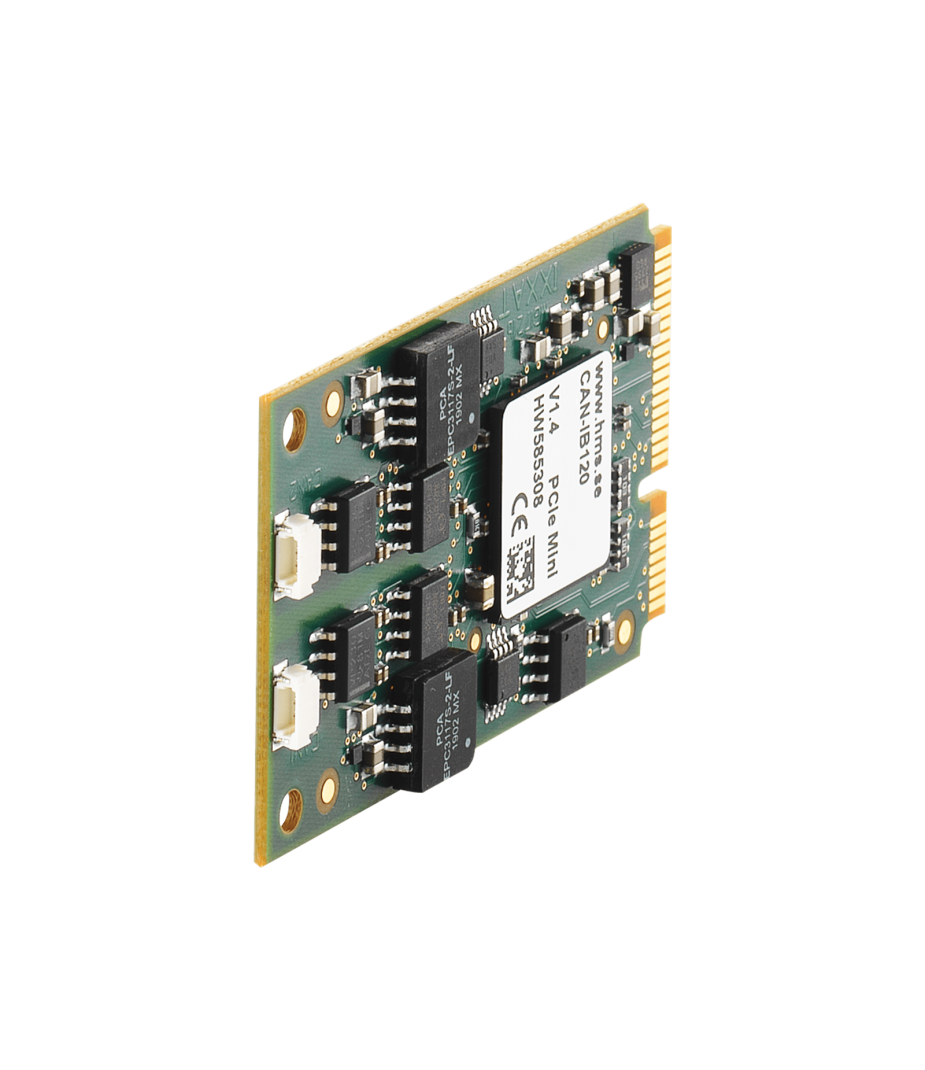
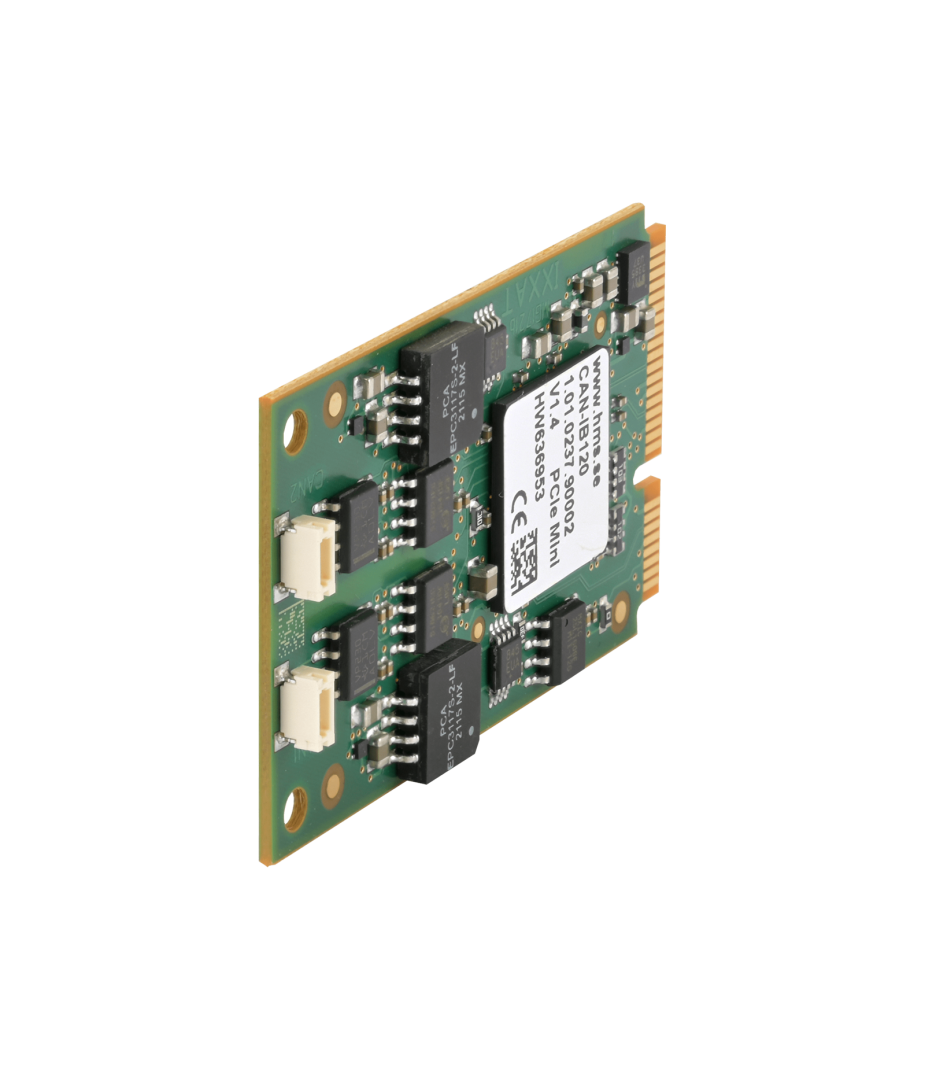
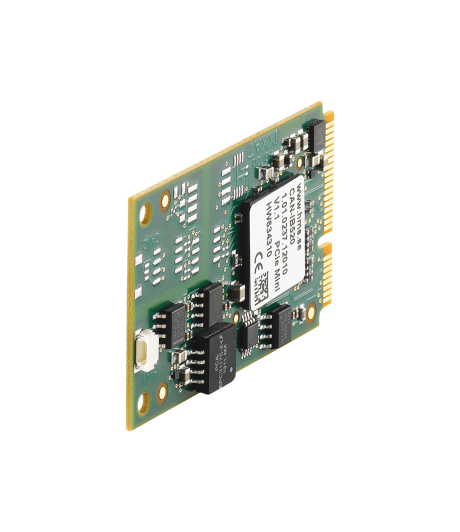
The Ixxat CAN-IB120/PCIe Mini interface is a powerful and reliable miniPCIe CAN interface card with up to two CAN channels. The card is primarily designed for industrial PC systems with a PCI Express Mini slot. Thanks to the PCI Express Mini architecture, the interface benefits from fast communication and high data throughput. As a result, data exchange between the card and the host system is exceptionally efficient and stable. Furthermore, its compact size ensures easy integration into small systems and embedded applications.

In addition, the plug-in card is ideal for embedded PCs, single-board computers, and compact industrial systems. Even during demanding applications, communication remains fast, stable, and reliable. This makes the interface highly suitable for real-time data processing and industrial automation. The CAN-IB120/PCIe Mini also delivers high performance and reliable CAN communication in automotive development. For example, in test setups, diagnostic environments, and embedded control systems, the interface offers a high degree of flexibility. In short, the CAN-IB120/PCIe Mini interface combines compact dimensions with powerful performance for professional CAN applications.

The canAnalyser 3 Mini bus monitor for Windows® is also included as standard for quick diagnostics and hardware testing. In addition, the comprehensive canAnalyser 3 software offers additional features for the development, simulation, and debugging of CAN networks. Finally, the FAQ below helps you choose the right analysis software for every user scenario.

The CAN-IB120/PCIe Mini interface is available with one or two CAN channels, optionally with galvanic isolation. Some variants feature a top-entry CAN connection.


Features and benefits

  • Max 2x CAN interface card
  • Cost-effective, passive CAN interface card for PCI Express
  • Galvanic Isolation between network and interface card (optional)
  • CAN communication up to 1 Mbit/s
  • Includes CAN Bus Monitor software for Windows®
  • Universe driver for easy exchange between different Ixxat interfaces
  • Powerful programming interface for Windows®, Linux (incl. SocketCAN), QNX and VxWorks

Tech Specs

Controller

Max 2x CAN CC (Classic CAN 2.0A/B)

CAN Mode

CAN high-speed (ISO 11898-2)

CAN Baudrates

10 kBit/s … 1 Mbit/s

CAN Transceiver

TI SN65HVD251

Galvanic Isolation

Up to 500 V (optional)

Connector

PCB Header

PC Form Factor

PCI Express Mini slot
Rev 1.1

PC Interface

Type = PCIEM

Driver

Ixxat VCI (Windows®) or ECI (Linux)
 

Power Supply

Via PCI Express Slot, 3.3 V=

Current Consumption

max. 230 mA

Temperature

Usage -40 °C to +70 °C
Storage -40 °C to +85 °C

Dimensions

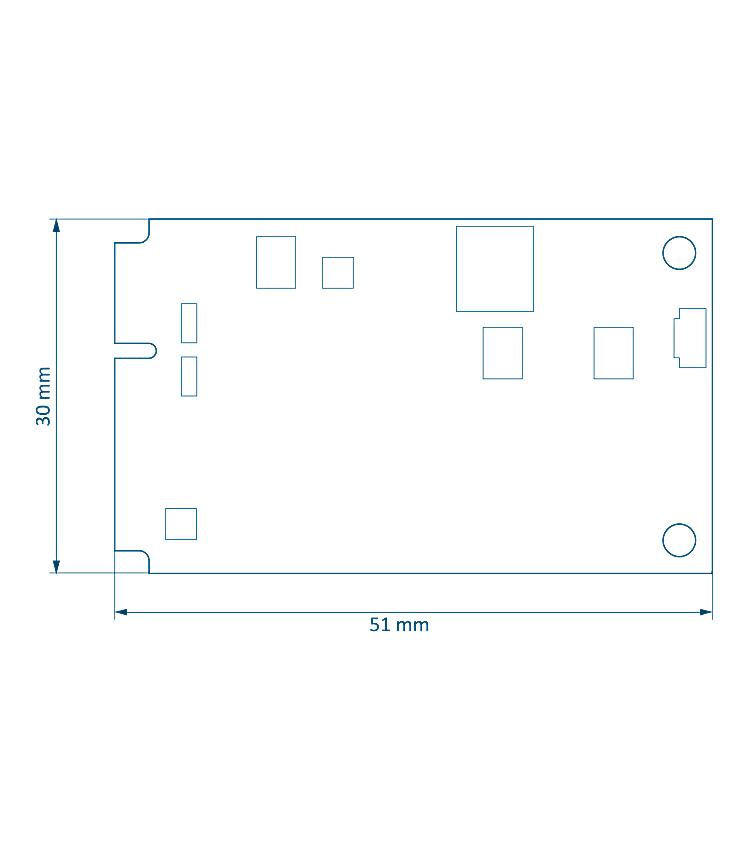
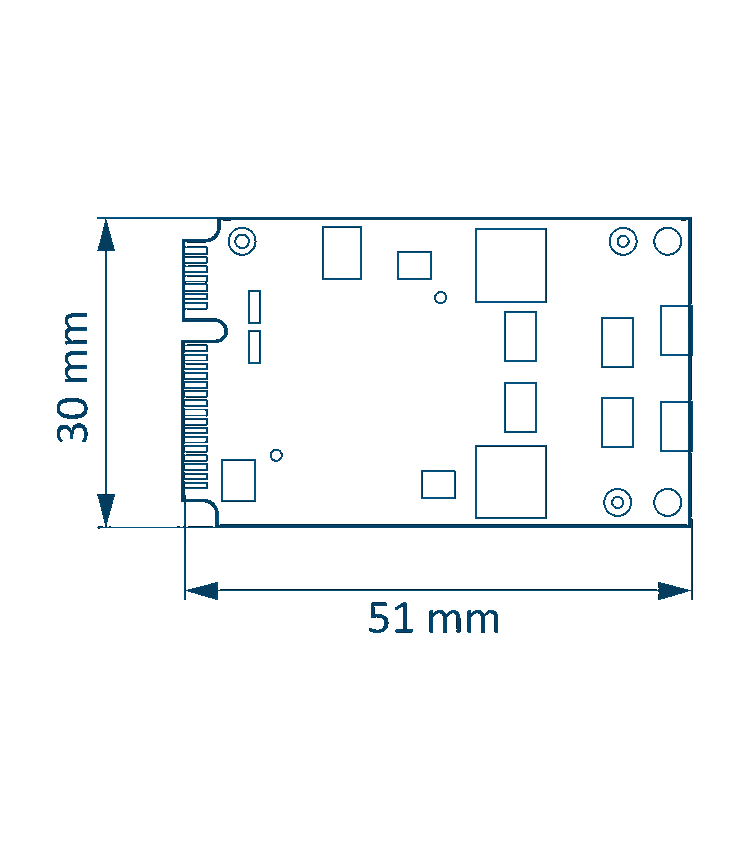
30 x 51 x 4 mm

Certification

CE, FCC
 
The following software is provided free of charge with the Ixxat CAN-IB120/PCIe Mini. The current version is available for download.

CAN Bus Monitor

Ixxat canAnalyser 3 Mini

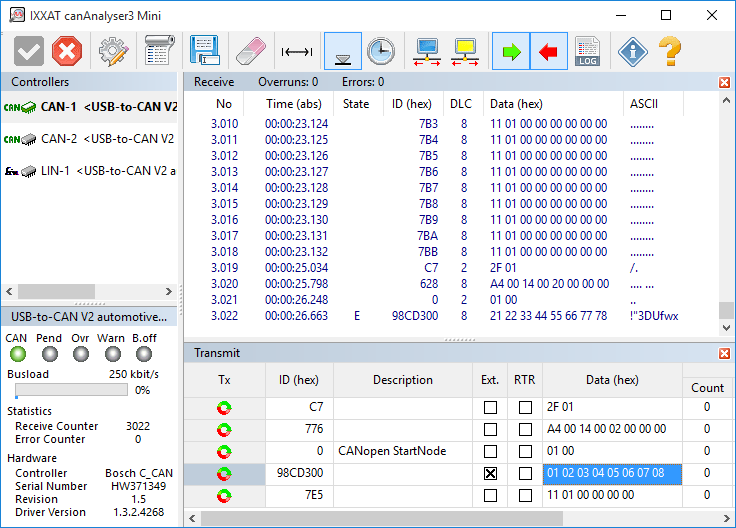
For simple testing purposes and start-up canAnalyser Mini - a free CAN bus monitor - is installed with the VCI. This monitor can be used to display CAN messages with time stamp, message identifiers and data using the CAN-IB120/PCIe Mini. A logging function enables the data received to be recorded directly to hard disk. CAN messages are transmitted via a list wherein CAN messages are entered. Installed interfaces are displayed with the available CAN controllers, the current bus load and the controller status.
canAnalyser Mini also support CAN-FD and LIN in combination with interfaces supporting these protocols.
Common Driver

Ixxat CAN Interface Driver

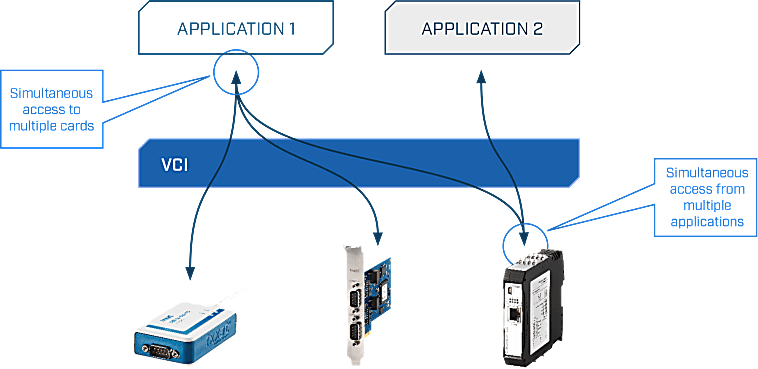
Two different drivers are available for the software interfacing of the CAN-IB120/PCIe Mini: the universal driver "(Virtual Communication Interface" (VCI) for Windows® and the “Embedded Communication Interface” (ECI) for Linux, INtime, RTX, VxWorks and QNX. The drivers can operate all CAN channels and all CAN interfaces - even different types - within one PC.

These powerful driver packages support all CAN boards, regardless of their PC interface, with a uniform programming interface (API). This means that applications based on VCI-API can be used with all Ixxat CAN boards without modifying the application program. The drivers support multi CAN-channels and/or multiple boards – even different types – to arrange the desired amount of channels.

Features and benefits

  • Common application programming interface (API) for all supported operating systems and interfaces
  • Simultaneous support of multiple CAN channels and interface boards
  • Standard  (11 bit, CAN 2.0A), extended protocol (29 bit, CAN 2.0B) and CAN-FD1
  • Support of protocol-switching on interfaces with low-speed CAN1 or LIN1
  • Slim communication interface while supporting all required mechanisms for an easy operation of the interface
  • Detection and display of error frames on the bus
  • Measurement and display of the bus load (only with active CAN cards)
  • Possible operation in "Listen only mode"
  • 1 For interfaces that support these protocols
Virtual Communication Interface (VCI)

  • Fee driver for CAN interfaces under Windows® 2000, XP, Vista, 7, 8 and 10.
  • Application interfaces available for C++, .NETI, Java, LabView, DasyLab and LabWindows
  • Convenient card installation via the Device Manager
  • Prepared dialog for interface/channel selection
  • Automatic firmware download with active cards

Embedded Communication Interface (ECI)

  • Free driver for active and passive CAN interfaces under Linux, INtime, RTX, VxWorks and QNX.
  • Application interfaces available for C and a vendor-independent API called SocketCAN
  • Low memory footprint
  • Specially suitable for dedicated embedded applications
  • Real-time capable (INtime, RTX, VxWorks and QNX)

Programming environment

Ixxat VCI API

The VCI API (Application Programming Interface) is a powerful software library that enables developers to easily communicate with industrial network interfaces, particularly within CAN- and/or LIN-based systems. This API forms an abstraction layer between applications and hardware, allowing developers to avoid working directly with device-specific drivers and instead utilize a uniform and standardized interface.
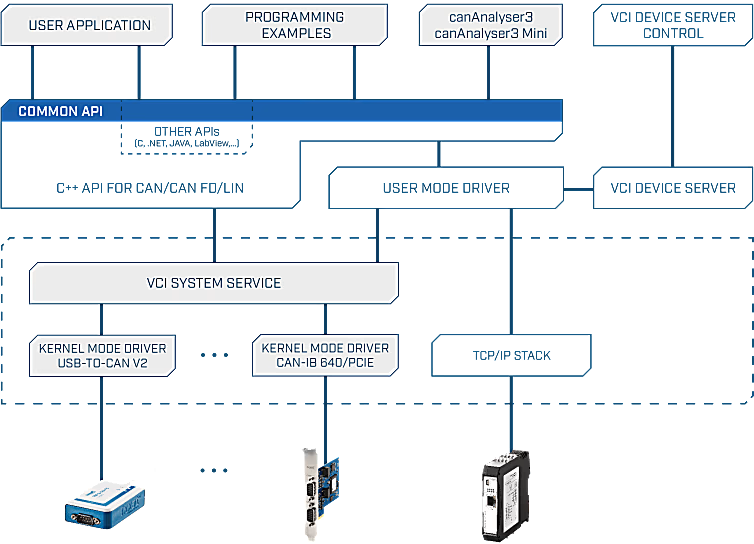
With the VCI API, applications can send and receive CAN messages in both standard and extended formats. Additionally, the API enables the detection, configuration, and management of connected Ixxat devices. Developers can choose between event-driven communication or polling mechanisms, depending on their application requirements. Thanks to built-in buffering and filtering capabilities, data can be processed efficiently, which is particularly important in real-time environments.

The API is primarily available for programming languages ​​such as C and C++, with additional support for .NET languages via wrappers. This makes the VCI API widely applicable within both low-level and high-level development environments.
FAQ

  • Should I choose a CAN interface with or without galvanic isolation?

    A CAN-IB120/PCIe Mini with galvanic isolation offers improved noise immunity and prevents ground loops. The potential differences caused by separate power supplies for different CAN nodes do not affect transmission quality. In addition, it protects the device from damage to the electronics caused by power surges.
    We generally recommend galvanic isolation.

    However, galvanic isolation reduces the maximum possible CAN bus length by approximately 10 metres (50 ns delay).

    Please note that the CAN_GND is always connected, even when galvanic isolation is used.

  • Are CAN terminating resistors built into the CAN-IB120/PCIe Mini?

    There are no built-in CAN terminating resistors, and there is no provision for one. If necessary, terminating resistors can be installed across the CAN connections, for each desired CAN channel. Alternatively, we offer the PCAN-Adapter D-Sub to Screw Terminals as an accessory.

  • How do I choose the right PC to CAN interface card?

    Choosing the right CAN interface card depends, among other things, on the desired CAN protocol, the intended application, the type of PC slot available, the available installation space, the intended use, and, of course, the available budget.
    Although CAN is standardized, CAN hardware and PC drivers . It is important to consider which software or development tools are needed before choosing a specific interface.

    Twincomm is a center of expertise for CAN and has over 30 years of experience with CAN. Please contact us and we’ll provide practical advice to help you make the right choice.

  • Which Ixxat CAN analysis software is best suited to my use case?

    The canAnalyser is a versatile analysis tool for the development, testing and servicing of CAN, CAN FD and LIN based systems. The software package is based on a modular concept and available in three versions - Mini, Lite, and Standard - with a different set of functions and modules.
    The Mini version is included free of charge with the VCI driver. It is ideal for quick diagnostics or hardware testing, for example. The Lite and Standard versions are both comprehensive, professional software packages designed for development, debugging, simulation, or testing of CAN, CAN FD and/or LIN-networks.

    Each version of the canAnalyser 3 is intended for typical use case. The table below provides a handy overview of all the differences.

    Functions Module canAnalyser3
    Mini
    canAnalyser 3
    Lite
    canAnalyser 3
    Standard
    Measurement configuration
    Supported bus controllers   1 1 64
    Number of function modules per bus controller (multi-start)   1 1 per function
    Transmission
    Transmitting messages in layer 2 format via broadcasting lists (one-off/cyclic) Transmit Max 5
    Transmitting signals based on underlayed databases Signal/Transmit    
    Transmitting sequences in layer 2 format using simple commands for control Sequencer  
    Reception and display
    Display received messages
    - Scroll view
    - Overwrite mode
    Receive


    Filtering during reception Receive  
    Signal reception and interpreted online display based on databases (overwrite/scroll) Signal   Max 5
    Graphical display of received signals over the time axis Signal   Max 5
    Display of statistical values (e.g. bus load, number of error frames) Signal  
    Logging of value range overflows Signal  
    Graphical display of frequency distribution of received messages Histogram  
    Recording/Playback
    Recording on hard disk
    - Maximum size
    Trace
    1 GB


    Filter and trigger functions during recording Trace  
    Recording on hard disk for later analysis, including filter and trigger functions Trace  
    Playback of recordings on the buses and/or modules for analyzing Replay  
    Adaptation and Extension
    Development of measurement/analysis functions using C# and Visual-Basic .NET scripts Scripting/Host  
    Open interface for expansion by customer-specific modules (.NET modules) customized  
    Protocol Interpreter
    Display of CANopen messages according to CANopen specification CANopen  
    Display of SAE J1939 messages according to SAE J1939 specification J1939  
  • Does this interface support CANopen or J1939?

    Yes, the CAN-IB120/PCIe Mini works with all CAN messages, including CANopen and J1939

    However, the CAN messages are not interpreted as CANopen or J1939. Separate software is available for generating or interpreting CANopen or J1939. Please enquire about the options.

  • Can I order on account?

    Yes, that's definitely possible! Most customers place their orders through a Purchase Order.
    First request a quote and then send the purchase order (PO) by email, simply from your own purchasing system. For first time buyers, we may ask additional questions in order to perform a credit check. Please contact us if you require our company details for registration in the purchasing system.

    For security reasons, customers located in, or wishing to ship to, countries outside the Benelux must always pay in advance.

  • Why are all prices available upon request?

    The online webshop is still under construction. As soon as it is available, all prices will naturally be visible.

    However, everything is of course available, and we would be happy to inform you about prices and delivery times. Please contact us or give us a call. We have over 30 years of experience with CAN. We are happy to help you and offer you immediate practical advice or support.


Part number(s)

1.01.0237.90001 CAN-IB120/PCIe Mini
1x CAN, Galvanic Isolation
Country of Origin: Germany
HS Code: 8517620000
1.01.0237.21000 CAN-IB120/PCIe Mini
2x CAN
Country of Origin: Germany
HS Code: 8517620000
1.01.0237.22000 CAN-IB120/PCIe Mini
2x CAN, Galvanic Isolation
Country of Origin: Germany
HS Code: 8517620000

Scope of Supply

CAN-IB120/PCIe Mini
  • User Manual 1
  • Driver VCI for Windows® 2
  • Basic monitor "canAnalyser3 Mini" for CAN (Windows®) 2
  • VCI Programming interface and API for developing CAN applications 2
1 Available as PDF
2 All software available by download

Interested?

Are you interested in the CAN-IB120/PCIe Mini? Request a quote without obligation. Would you like more information? Send an email to -Hidden- or visit our contact page. You can also call us at -Hidden-.
Twincomm has over 30 years of experience with CAN. We are happy to help you and offer you immediate practical advice or support.