


The CAN specialist
-Hidden- -Hidden-
Nederlandse taal English language
Skip to main content

CME/PN

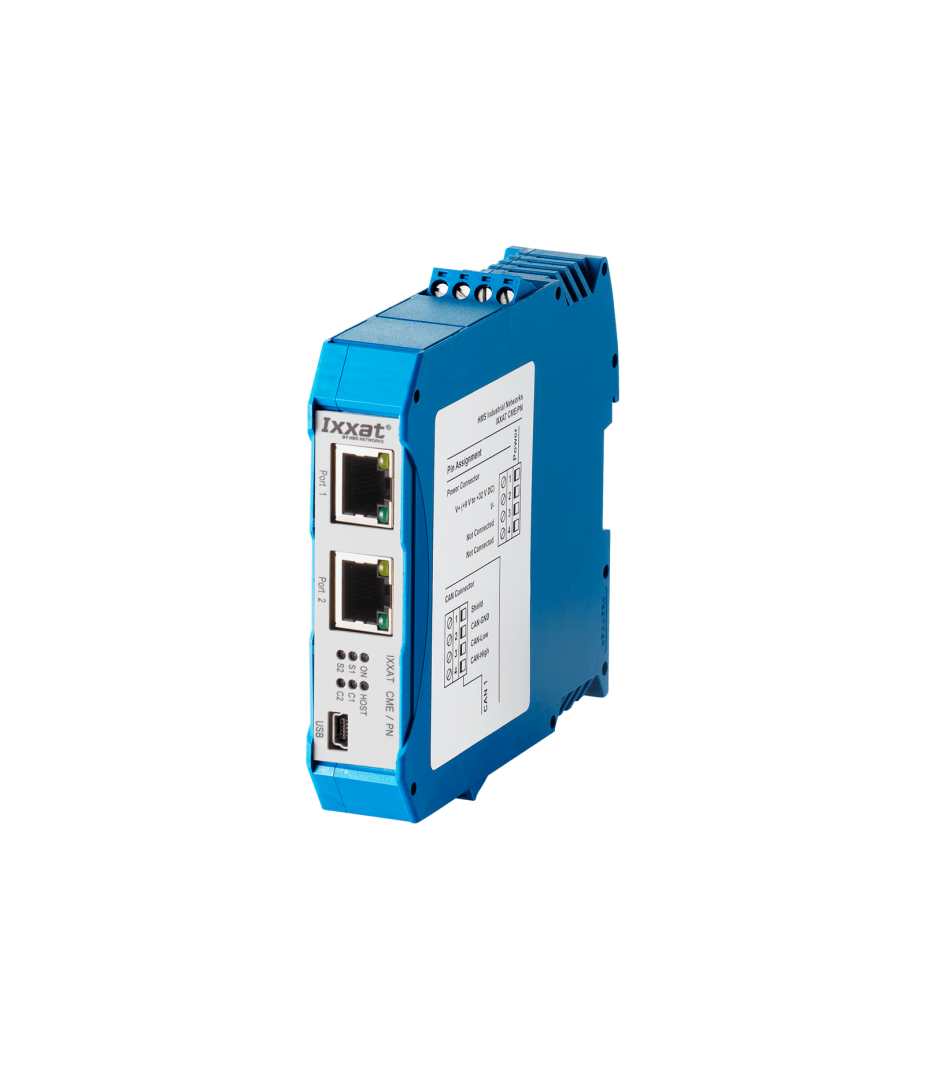
PROFINET RT to CANopen Master gateway with 1x CAN, galvanic isolation

On request


The Ixxat CME/PN supports the CANopen protocol
The Ixxat CME/PN supports the PROFINET protocol
CME/PNby Ixxat

Stock SE

Request for quote

Ask a question

The Ixxat CME/PN is a powerful and easy-to-configure gateway for integrating CANopen networks into Siemens PROFINET environments. In addition, the gateway supports bidirectional data exchange between the two networks. This allows CANopen devices to be used within PROFINET systems. Furthermore, data transfer between PROFINET and CANopen is reliable and efficient.

The gateway functions as a SIMATIC PROFINET I/O device with slots and sub-slots for data exchange. On the CANopen side, however, the gateway operates as a CANopen NMT master. The system supports both PDO and SDO communication. This creates a flexible link between industrial automation networks. Even during complex integrations, configuration remains clear and manageable. Furthermore, users benefit from rapid implementation and stable communication. In short, the CME/PN forms an efficient bridge between CANopen and PROFINET.

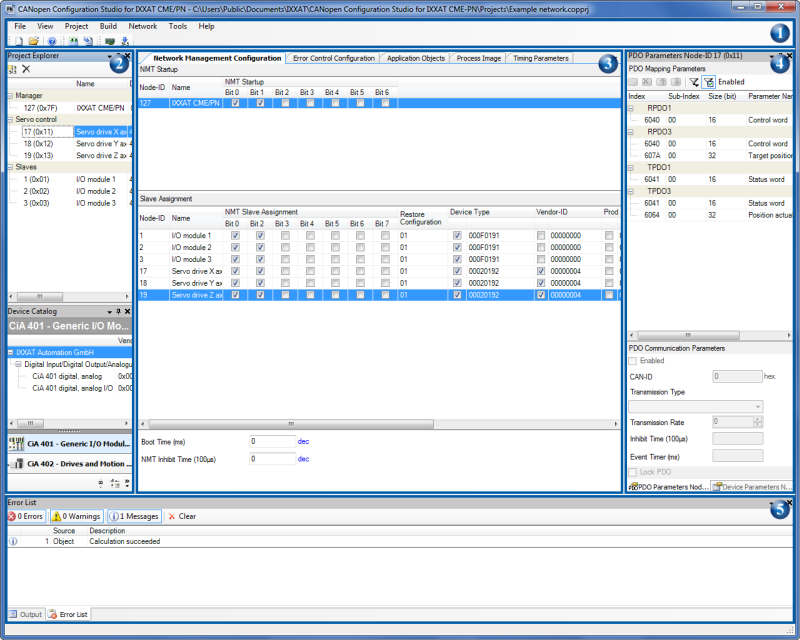
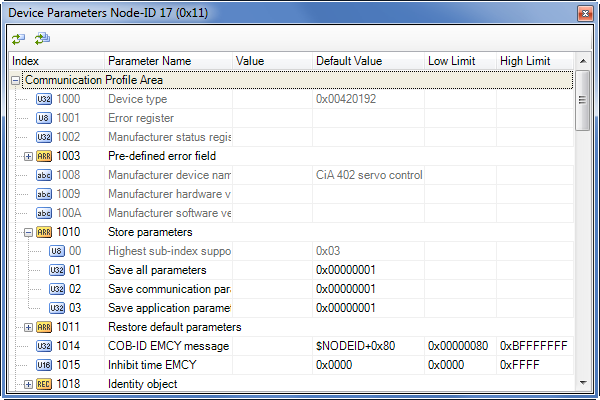
Using the included Windows® software “Configuration Studio for CME/PN”, users can easily import CANopen devices via EDS files. The object dictionary is then clearly displayed for quick configuration. Furthermore, parameters and communication structures can be adjusted intuitively. This also ensures that device settings remain easy to manage. During configuration processes, the software provides a clear and structured interface. This helps prevent errors more quickly and processes settings more efficiently. For example, communication mapping and network parameters can be managed centrally. In addition, the software supports rapid integration of existing CANopen devices. In summary, Configuration Studio provides a user-friendly and efficient configuration environment.


Features and benefits

  • Bi-directional data exchange between PROFINET and CANopen
  • Integrated 2-port switch
  • Easy configuration using the included Ixxat CANopen Configuration Studio
  • Generates matching GSDMLfile for PLC

Tech Specs

Protocols

CANopen, Profinet

Total Nodes

Max. 120
per CME/PN used

CAN Mode

CAN high-speed (ISO 11898-2)

CAN Baudrates

10 kBit/s … 1 Mbit/s

Galvanic Isolation

Up to 500 V

Connector

Screw

Power Supply

9~32 V=

Current Consumption

max. 100 mA at 24 V=

Temperature

Usage -20 °C to +70 °C
Storage -40 °C to +85 °C

Dimensions

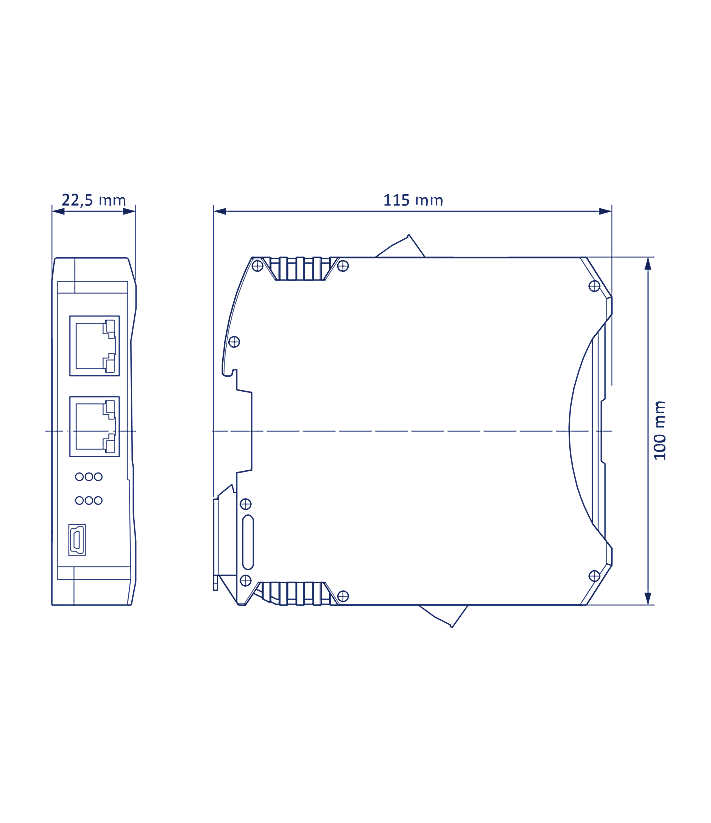
115 x 100 x 22,5 mm

Certification

CE

CANopen for PROFINET

CANopen support

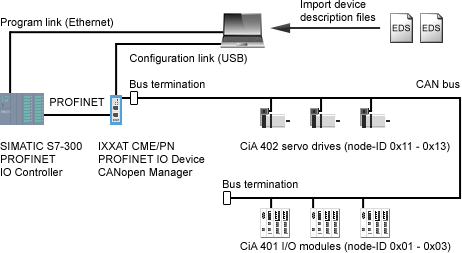
The CME/PN from Ixxat provides comprehensive CANopen master technology within any PROFINET I/O environment. The device functions as a standalone CANopen Master – a configurable CANopen Master – which exchanges information via PROFINET with a PLC. The CME/PN enables the simple integration of Siemens controllers in industrial sectors where CANopen is used. It also allows PROFINET PLCs to communicate with CANopen fieldbus devices.

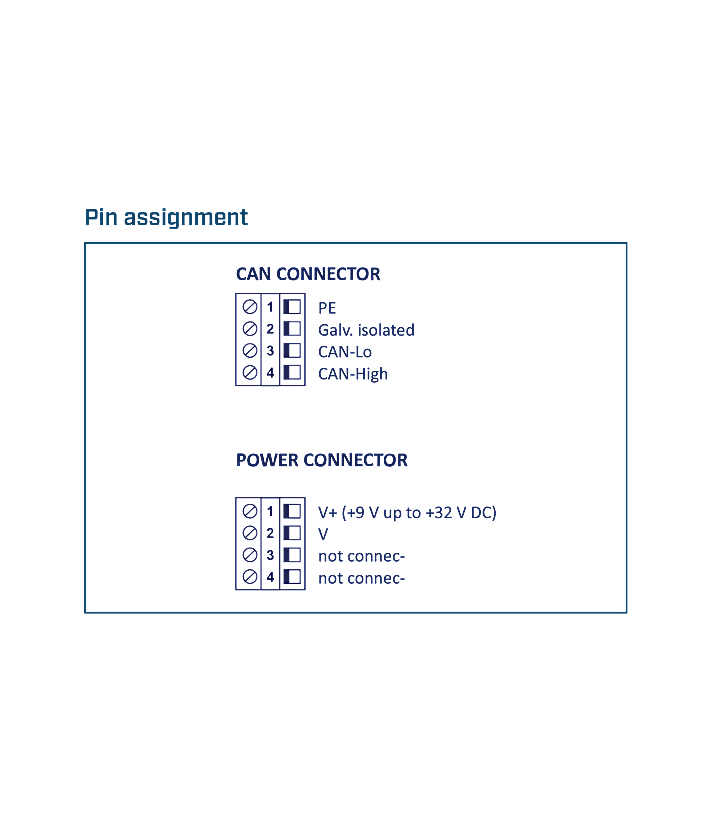
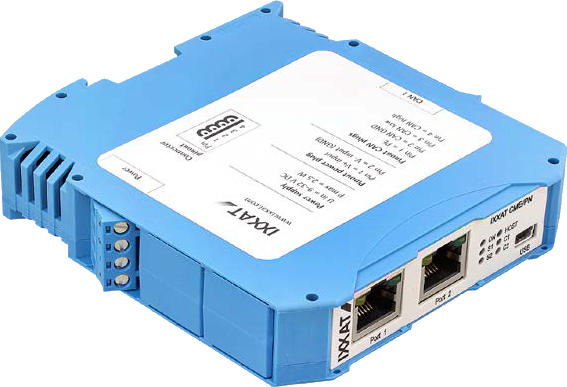
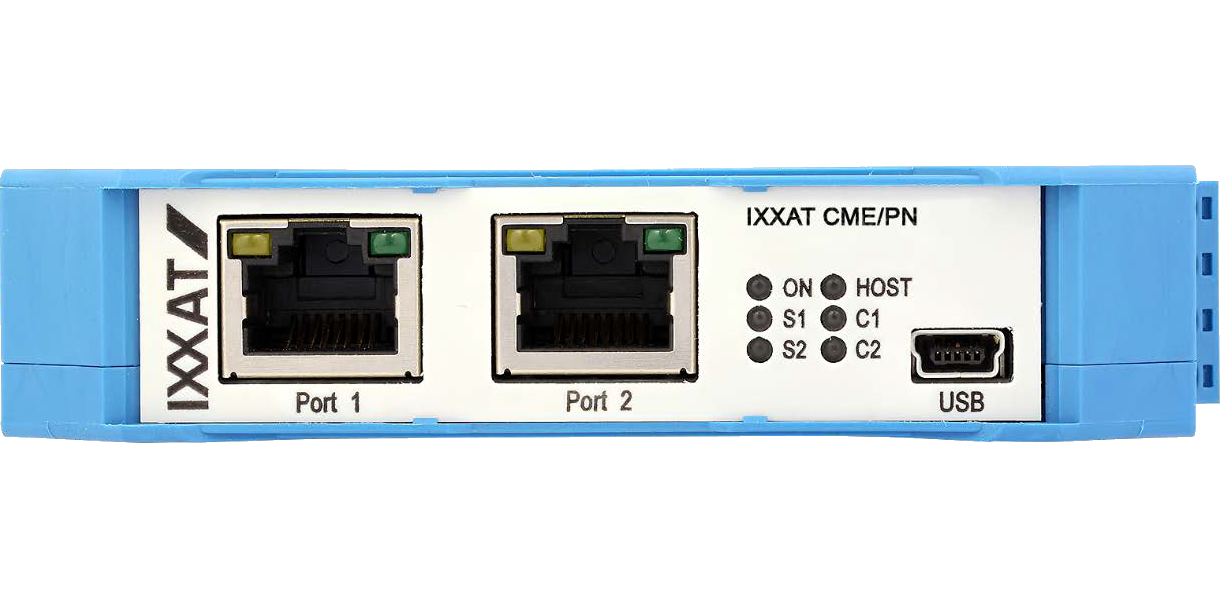
The gateway features an integrated 2-port switch, enabling simple integration into PROFINET topologies. The connection to the CANopen bus and the power supply is made using screw terminals. Device configuration and firmware upgrades can be carried out via a USB 2.0 port.
CANopen eigenschappen
  • Selection of CANopen manager and CANopen slave devices based on a user configurable device catalog
  • Management of any number of device description files inside the device catalog
  • Configuration of CANopen manager parameters including NMT startup object, NMT slave assignment, and device type identifications
  • Configuration of NMT error control services, both heartbeat and node guarding
  • Direct configuration of device parameter objects which are written to the CANopen devices on network startup
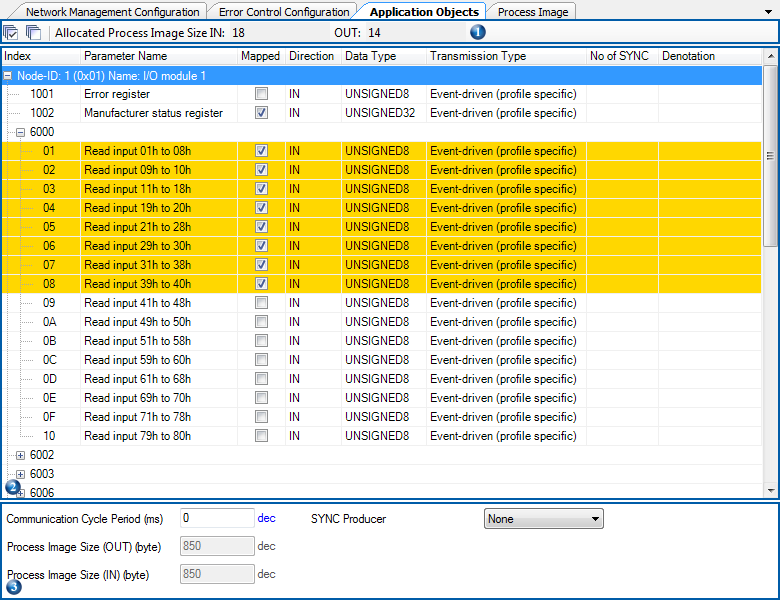
  • Individual selection of application objects to be mapped into the process image of the CANopen manager
  • Alternatively, selection of application objects based on default PDO mapping of CANopen slave devices
  • Automated calculation of PDO communication and mapping parameters for both CANopen manager and CANopen slave devices
  • Manual manipulation of PDO communication and mapping parameter for CANopen slave devices
  • Inspection of the calculated process image and grouping of parameters within the process image
  • Manual adjustment of PROFINET timing parameters with estimation of the resulting CANopen bus load
  • Generation of concise device description data and direct download of network configuration data to the IXXAT CME/PN
CANopen Manager configuration and STEP 7® integration

The gateway can be easily configured using the Ixxat CANopen Configuration Studio, which is supplied free of charge. The configuration tool automatically generates a CDC configuration file for the CANopen network – which is loaded into the CME/PN – as well as a GSDML file for PROFINET.

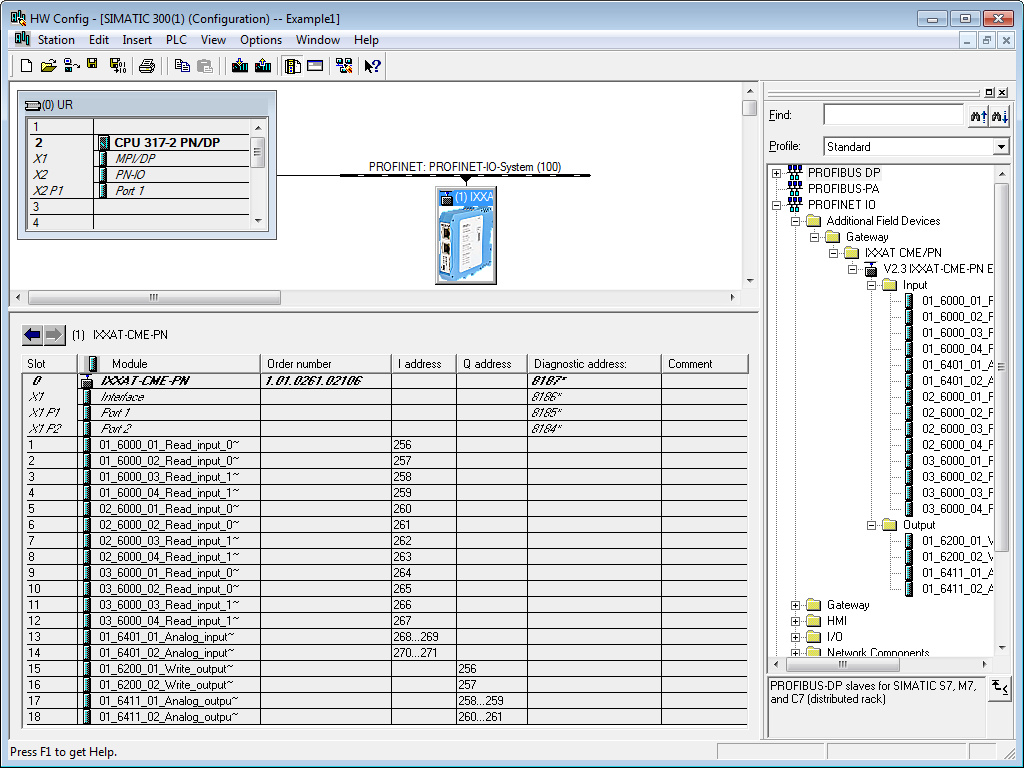
The CANopen configuration is based on EDS files. Using a graphical drag & drop interface, SDOs are mapped to PDOs and automatically placed in PROFINET subslots. The GSDML file ensures simple gateway integration into PROFINET networks and enables access to the gateway from PLC applications. The gateway is represented here as a single I/O device. All data on the CANopen side that is exchanged via the gateway with the PROFINET network is defined in the GSDML file as variables with variable name, data size and data direction. This unique two-sided approach significantly simplifies configuration.
FAQ

  • Is there a CAN terminating resistor built into the CME/PN?

    There is no built-in CAN terminating resistor, and there is no provision for one. If necessary, a terminating resistor can be installed across the CAN connections. Alternatively, we offer the PCAN-Adapter D-Sub to Screw Terminals as an accessory.

  • Can I order on account?

    Yes, that's definitely possible! Most customers place their orders through a Purchase Order.
    First request a quote and then send the purchase order (PO) by email, simply from your own purchasing system. For first time buyers, we may ask additional questions in order to perform a credit check. Please contact us if you require our company details for registration in the purchasing system.

    For security reasons, customers located in, or wishing to ship to, countries outside the Benelux must always pay in advance.

  • Why are all prices available upon request?

    The online webshop is still under construction. As soon as it is available, all prices will naturally be visible.

    However, everything is of course available, and we would be happy to inform you about prices and delivery times. Please contact us or give us a call. We have over 30 years of experience with CAN. We are happy to help you and offer you immediate practical advice or support.


Part number(s)

1.01.0261.02106 CME/PN
1x CAN, Galvanic Isolation
Country of Origin: Germany
HS Code: 8517620000

Scope of Supply

CME/PN
  • User Manual 1
  • Ixxat CANopen Configuration Studio for Windows® 2
1 Available as PDF
2 All software available by download

Interested?

Are you interested in the CME/PN? Request a quote without obligation. Would you like more information? Send an email to -Hidden- or visit our contact page. You can also call us at -Hidden-.
Twincomm has over 30 years of experience with CAN. We are happy to help you and offer you immediate practical advice or support.