


CM CANopen
On request
Stock SE
Request for quote
Ask a question
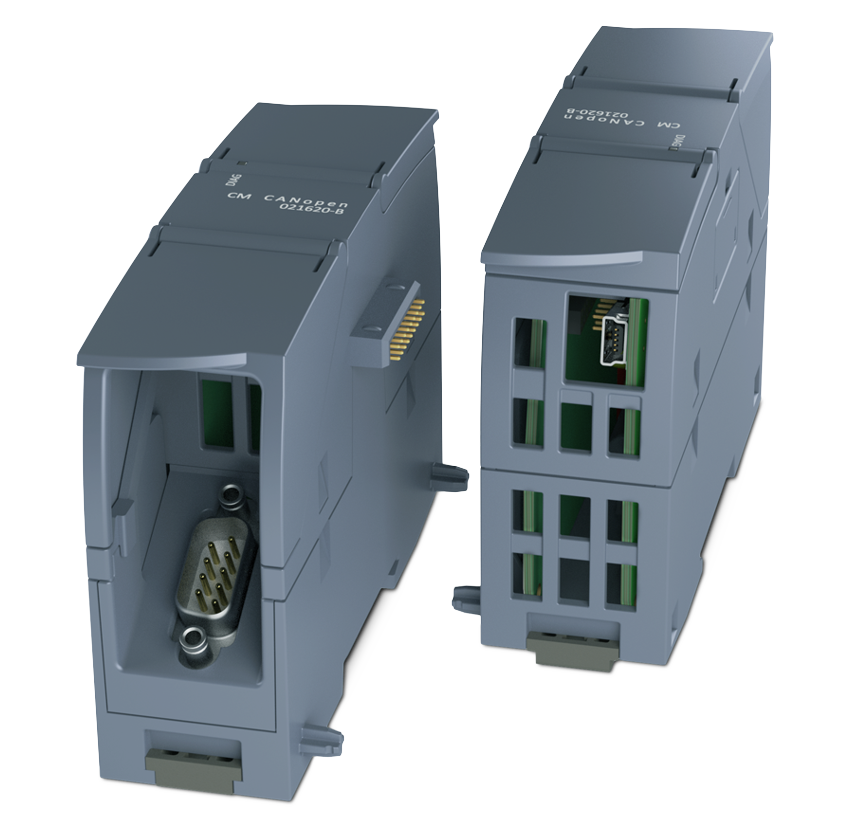
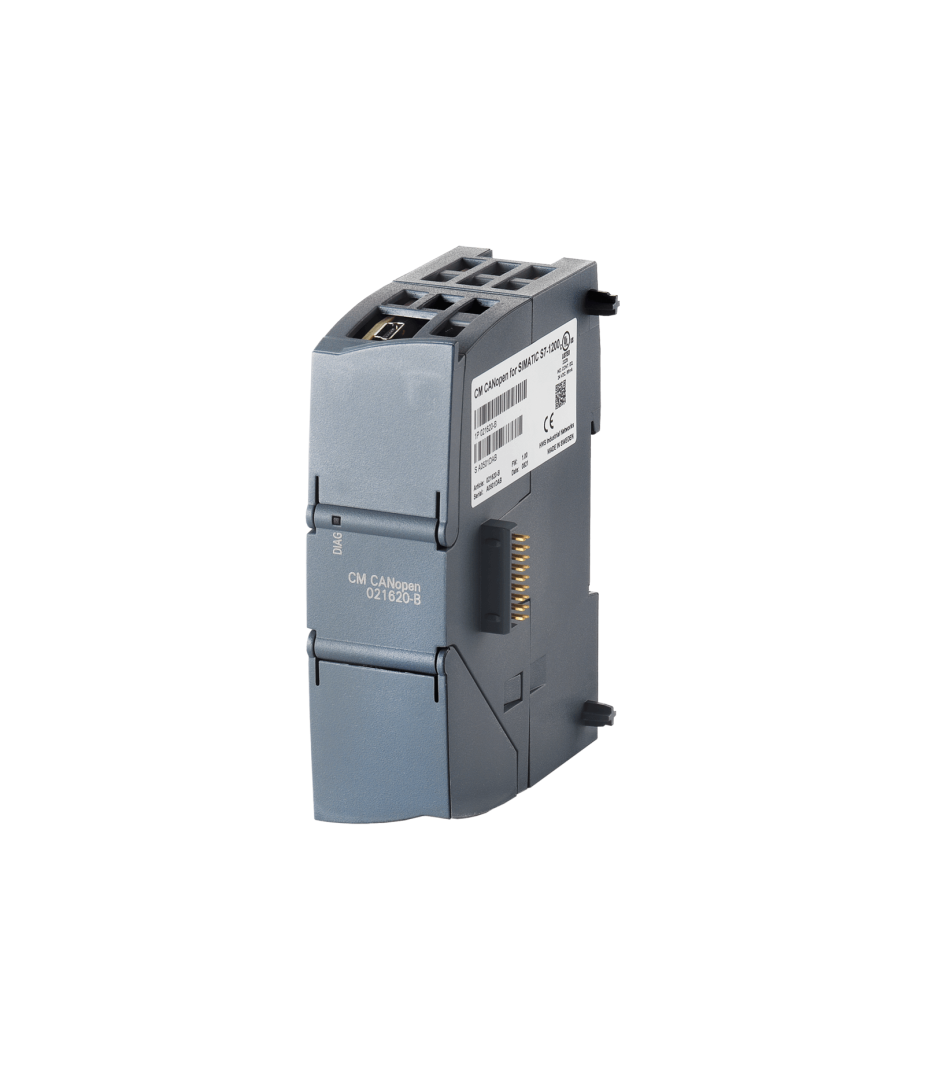
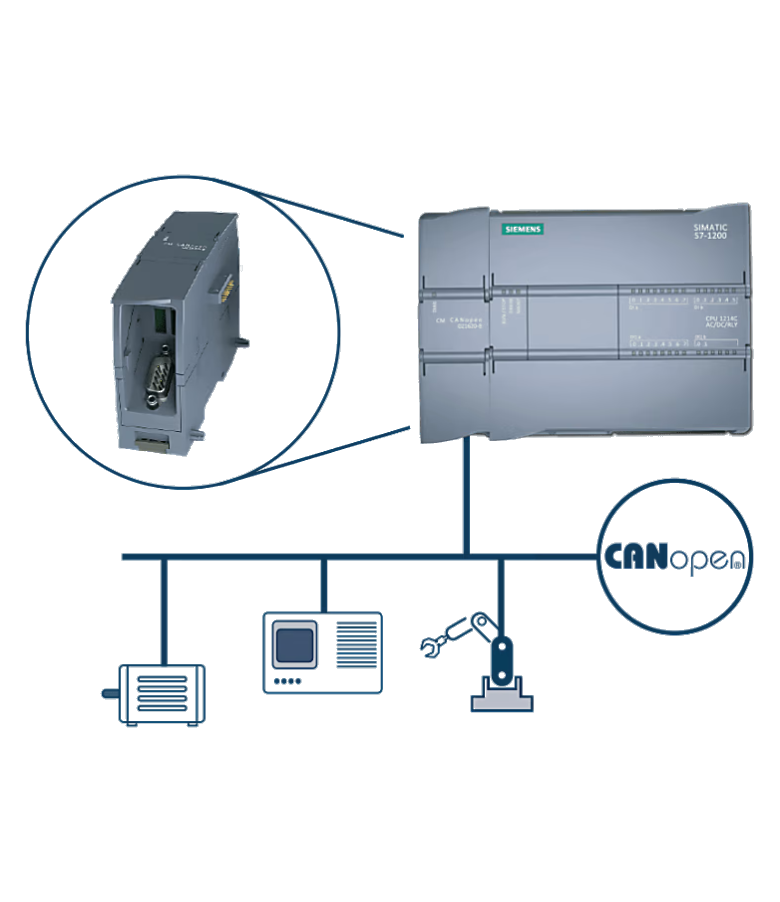
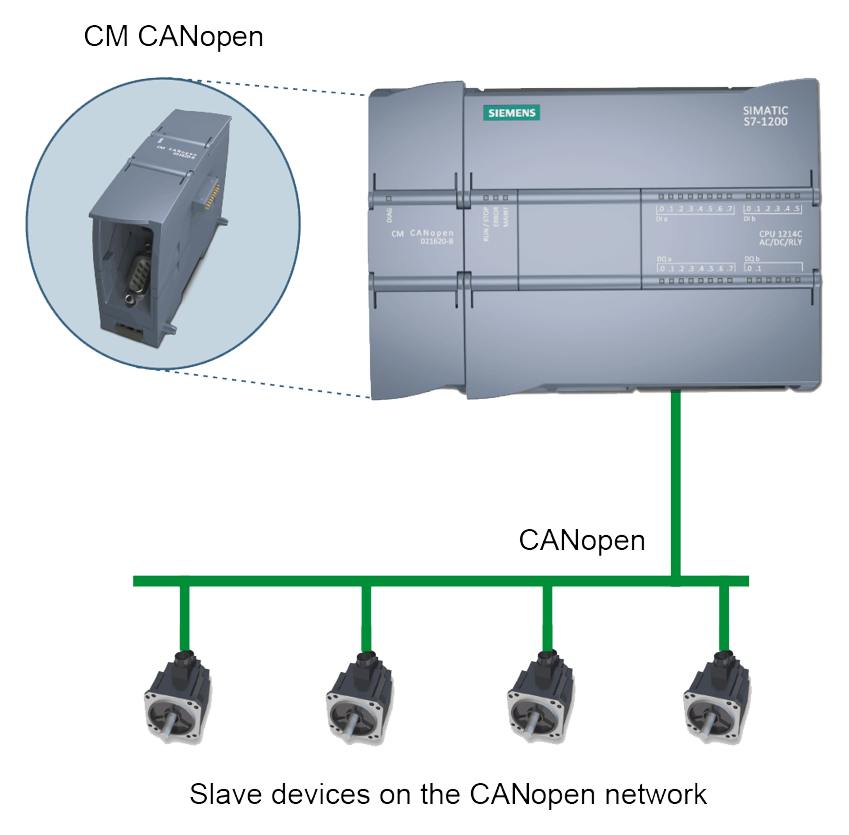
The Ixxat CM CANopen is a powerful and easy-to-configure gateway for integrating CANopen nodes into a SIMATIC S7-1200 environment. In addition, the module connects directly to the S7-1200 PLC. This creates a seamless interface between CANopen or CAN nodes and the controller. Furthermore, the S7-1200 can work with many more automation products. This provides additional flexibility when designing industrial systems.
The module can function as both a master and a slave, depending on the application. In master mode, the CM CANopen manages the entire CANopen network. The module initializes nodes and continuously monitors the network status. Additionally, the gateway performs configurations to ensure stable communication. In slave configurations, however, the module ensures a smooth connection with the S7-1200 PLC. This ensures reliable and efficient data exchange.
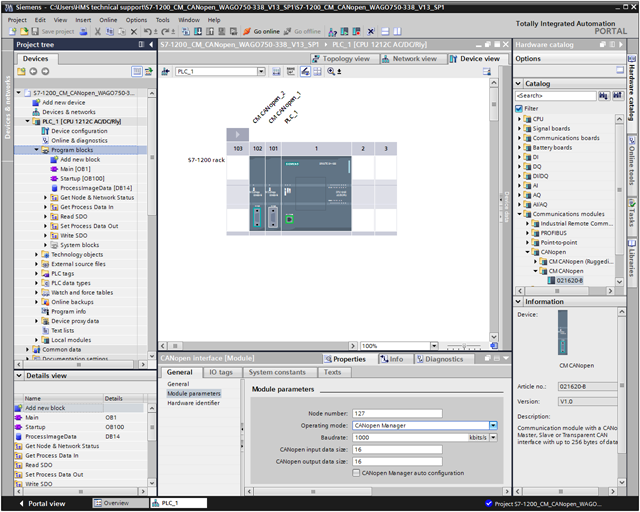
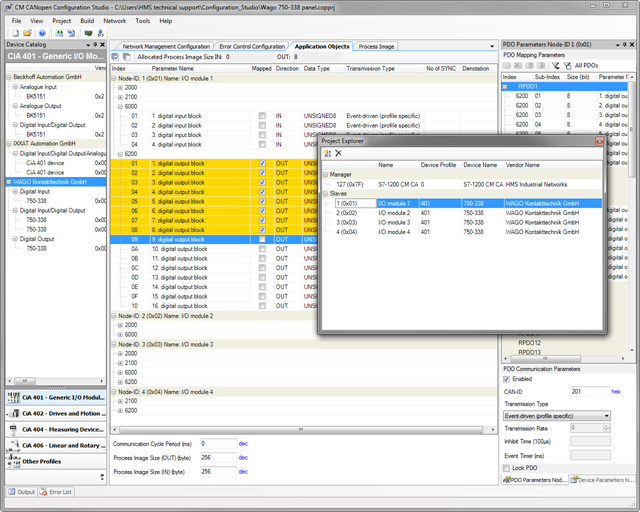
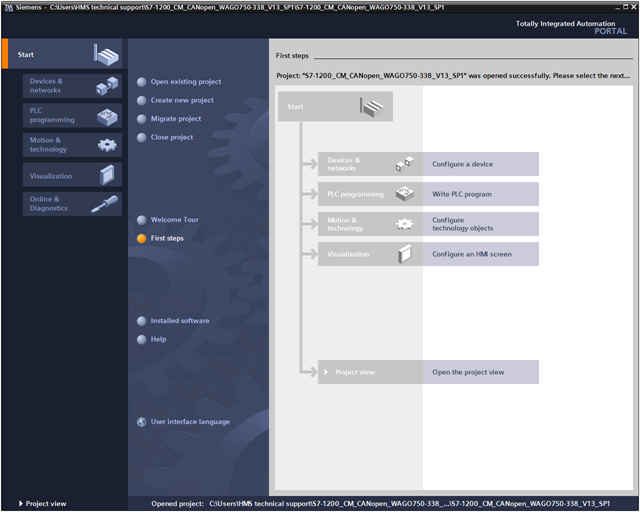
Integration within the SIMATIC® environment is performed using TIA Portal®. This allows the CM CANopen to integrate seamlessly into existing automation projects. The CANopen network is then configured using the “CM CANopen Configuration Studio”. This Windows® tool from Ixxat is included as standard. With this software, the user configures CANopen nodes and communication parameters. In addition, PDOs can be easily assigned. This ensures that the configuration is carried out clearly and efficiently.
Alternatively, the CM CANopen can also function as a standard CAN 2.0A node. This makes the module suitable for a wide range of industrial CAN applications. In short, the CM CANopen offers a flexible solution for industrial communication and automation.
Features and benefits
- Plug-in CANopen Master/Slave module for SIMATIC® S7-1200 PLC
- Connects up to 16 CANopen slave nodes in master mode
- 256 byte input and 256 byte output per module
- Connects up to 3 modules per CPU
- LEDs provide diagnostic information on module, network and I/O status
- Integratable in the hardware catalogue of the TIA Portal® configuration suite
- CANopen configuration via the included CANopen Configuration Studio Software
- Support for transparent CAN 2.0A for custom protocol implementation
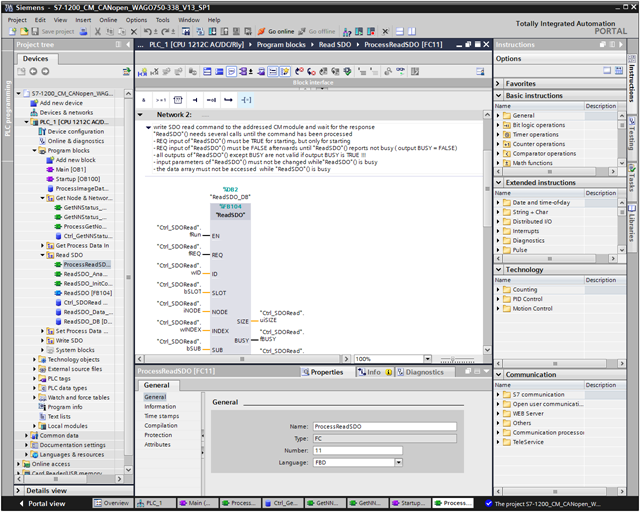
- Pre-made function blocks available for easy PLC programming in TIA portal
- Complies to the CANopen communication profiles CiA® 301 rev. 4.2 and the CiA® 302 rev. 4.1
Tech Specs
Protocols
Total Nodes
Max. 3x CM CANopen
Controller
11-bit identifier
CAN Mode
CAN Baudrates
Galvanic Isolation
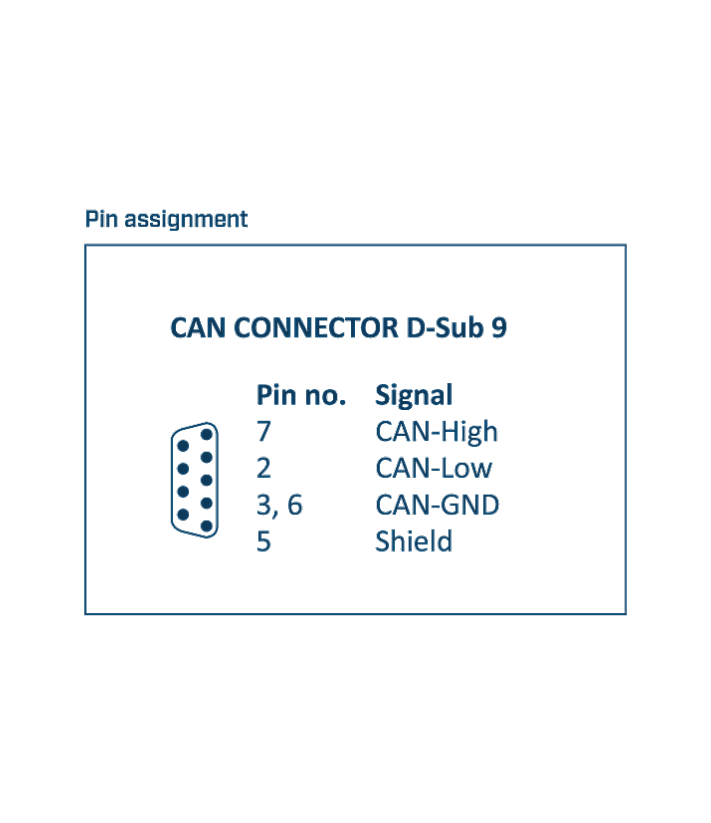
Connector
Power supply
supplied by S7-1200 PLC
Current Consumption
Temperature
Storage -40 °C to +70 °C
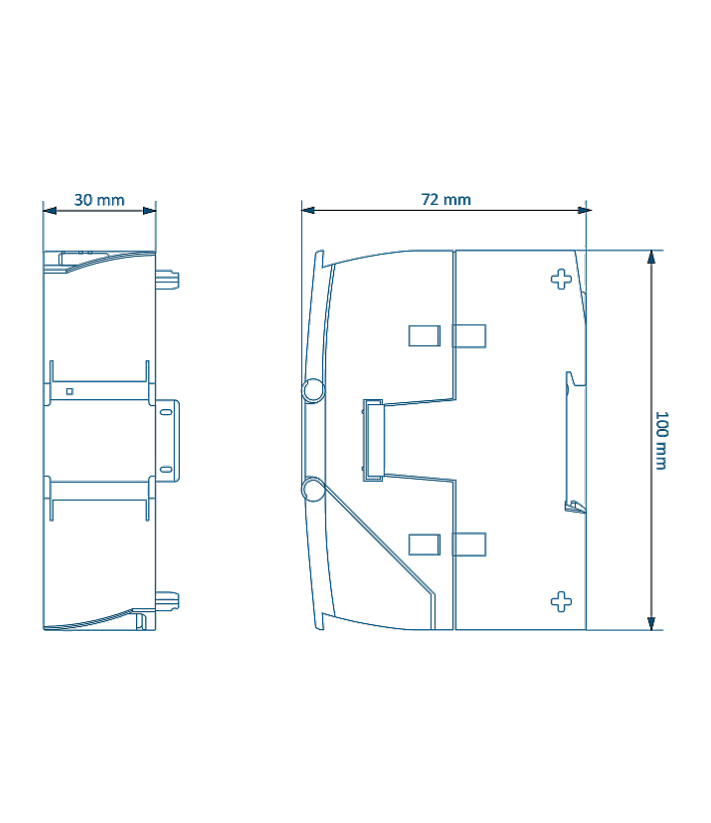
Dimensions
Certification
CANopen for S7-1200
CANopen support
Simply attach the CM CANopen expansion module to the SIMATIC® S7-1200 PLC. Any device running the CANopen protocol can then be connected. The CM CANopen module can be used from within TIA Portal® and can be configured to be either a Master or Slave from TIA Portal®. No programming is needed to create the configuration.
CANopen features
- CANopen implementation according to CANopen specification CiA® 301 rev. 4.2 and CANopen Master according to CiA® 302 (Part 1-5)
- PDO (Process Data Objects) functionality, Push and Pull
- 64 Receive and 64 Transmit PDOs
- SDO Client functionality (Expedited & Segmented Upload/Download Domain Protocol)
- Configuration possibility via SDOs
- Heartbeat producer/consumer functionality
- Supported PDO message types: COS (Change Of State), Cyclic Synchronous, Acyclic Synchronous
Master
- SDO (Service Data Objects) – Server functionality
- NMT (Network Management Telegrams) – Master for starting up and monitoring the network
- Node monitoring – producer/consumer
- Synchronisation – producer/consumer
Slave
- NMT (Network Management Telegrams) Slave state machine
- Node guarding - consumer
- Synchronisation - consumer
CANopen configuration and TIA Portal® integration
The seamless integration into the SIMATIC® world is one of the most essential requirements when extending of the SIMATIC® automation system with networked fieldbus equipment that is not based on either PROFIBUS or PROFINET. HMS has addressed this need enabling a seamless integration of the CM CANopen module into TIA Portal®. Configuration of the connected CANopen network is intuitively performed with the included CM CANopen Configuration Studio.
Once the configuration is finalized, the CANopen network configuration is downloaded into the CM CANopen module and localz stored in non-volatile memory. If one of the slave devices in the connected CANopen network has to be replaced, configuration data for this device will be downloaded automatically by the CM CANopen module once the device is reattached, significantly reducing down-times in high availability applications.
Transparent CAN CC (Classic CAN 2.0) mode
With this functionality, the CM CANopen module allows transmission of any CAN frame from the PLC regardless of the overlaying CAN protocol and is capable of receiving a number of pre-defined CAN frames from the CAN network.
- Possibility to implement any custom CAN based protocol which in interpreted/generated by the PLC
- Special PLC function block available from HMS for easy integration in to TIA Portal®
- CAN frames pass transparently through the CM CANopen module
- Ability to transmit and receive CAN frames inside TIA Portal®
- Supports only the CAN 2.0A standard (11-bit CAN identifiers)
- CANopen functionality is disabled when the transparent CAN mode is used
FAQ
-
Is there a CAN terminating resistor built into the CM CANopen?
There is no built-in CAN terminating resistor, and there is no provision for one. If necessary, a terminating resistor can be installed across the CAN connections. Alternatively, we offer the PCAN-Adapter D-Sub to Screw Terminals as an accessory.
-
Can I order on account?
Yes, that's definitely possible! Most customers place their orders through a Purchase Order.
First request a quote and then send the purchase order (PO) by email, simply from your own purchasing system. For first time buyers, we may ask additional questions in order to perform a credit check. Please contact us if you require our company details for registration in the purchasing system.
For security reasons, customers located in, or wishing to ship to, countries outside the Benelux must always pay in advance. -
Why are all prices available upon request?
The online webshop is still under construction. As soon as it is available, all prices will naturally be visible.
However, everything is of course available, and we would be happy to inform you about prices and delivery times. Please contact us or give us a call. We have over 30 years of experience with CAN. We are happy to help you and offer you immediate practical advice or support.
Part number(s)
| 021620-B | CM CANopen 1x CAN, Galvanic Isolation Country of Origin: SW HS Code: 8517620000 |
Scope of Supply
CM CANopen
- User Manual 1
- USB-A to USB-mini connection cable
- CM CANopen Configuration Studio for Windows® 2
- Function blocks and configuration files 2
2 All software available by download
Interested?
Are you interested in the CM CANopen? Request a quote without obligation. Would you like more information? Send an email to -Hidden- or visit our contact page. You can also call us at -Hidden-.
Twincomm has over 30 years of experience with CAN. We are happy to help you and offer you immediate practical advice or support.