The CAN specialist
-Hidden- -Hidden-
Nederlandse taal English language
Skip to main content
 

Wireless Bolt CAN

CAN to Wlan or Bluetooth gateway with with x CAN

On request


The Anybus Wireless Bolt CAN supports the CAN protocol
The Anybus Wireless Bolt CAN supports the Bluetooth protocol
The Anybus Wireless Bolt CAN supports the WiFi protocol
Wireless Bolt CANby Anybus

Request for quote

Ask a question

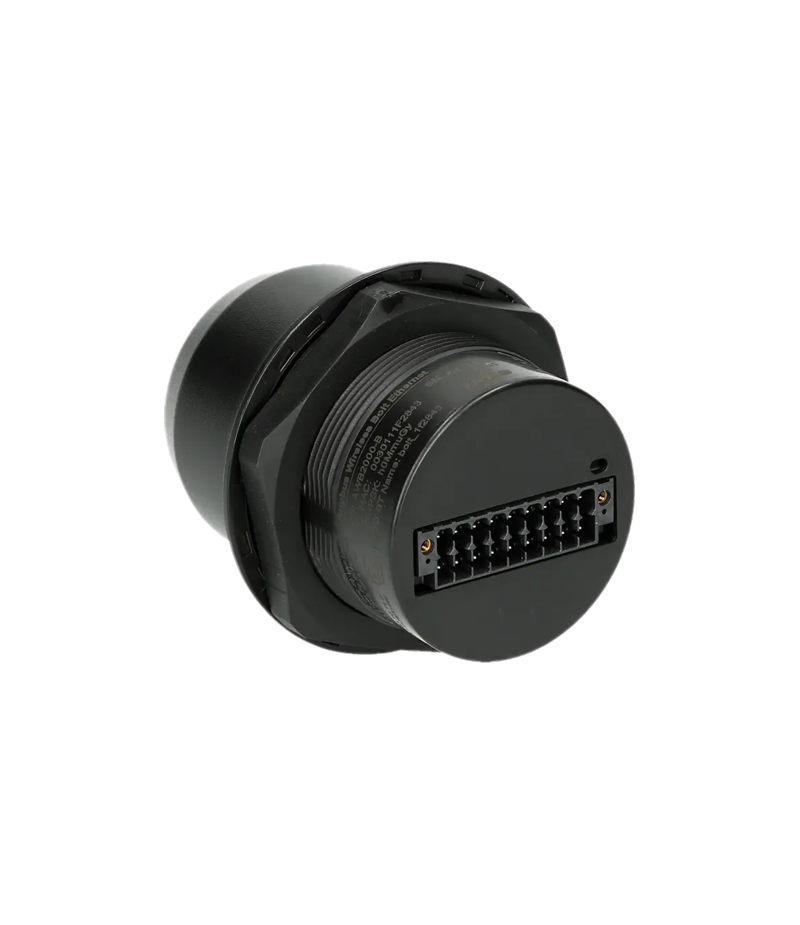
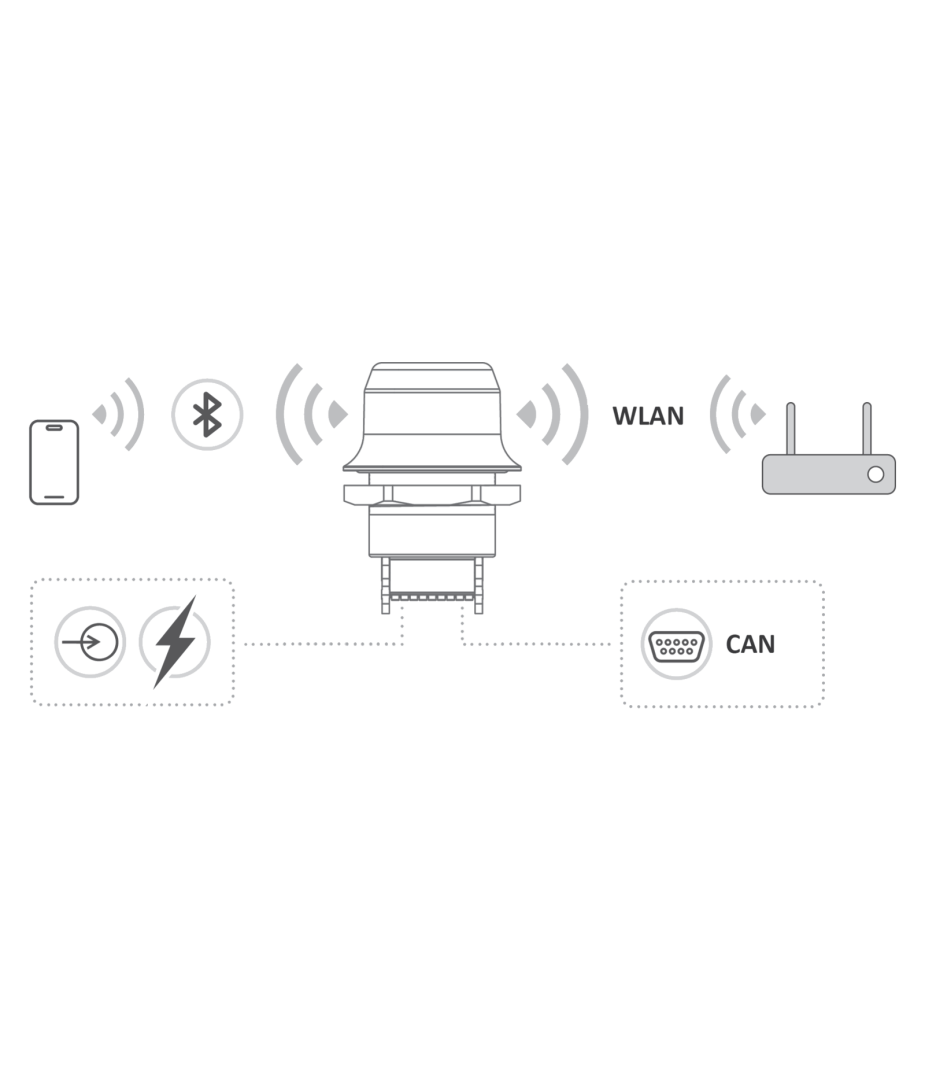
The Anybus Wireless Bolt CAN is a compact and robust solution for wireless CAN communication in industrial environments. Firstly, it converts existing CAN networks into wireless Bluetooth or Wi-Fi connections. This allows machines, vehicles and systems to communicate easily without the need for physical cabling. Furthermore, no major modifications to existing CAN messages are required. During installation, the existing infrastructure is largely retained. This ensures that integration is quick and efficient. Wireless communication also reduces wear and tear on cables and connectors.

First and foremost, the module supports wireless cable replacement within point-to-point applications. In addition, the device enables multi-point wireless networks for multiple CAN nodes. Mobile devices can also connect to a CAN network. Examples include smartphones, tablets and notebooks. This provides additional flexibility during diagnosis, configuration and monitoring. Furthermore, users benefit from fast remote access to CAN data.

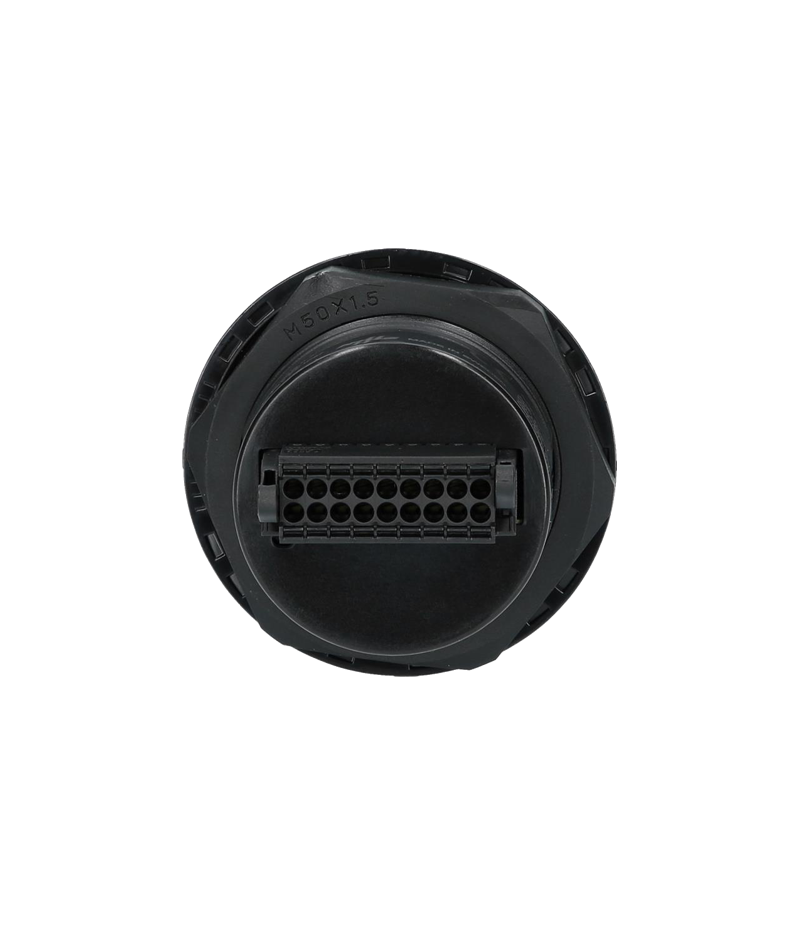
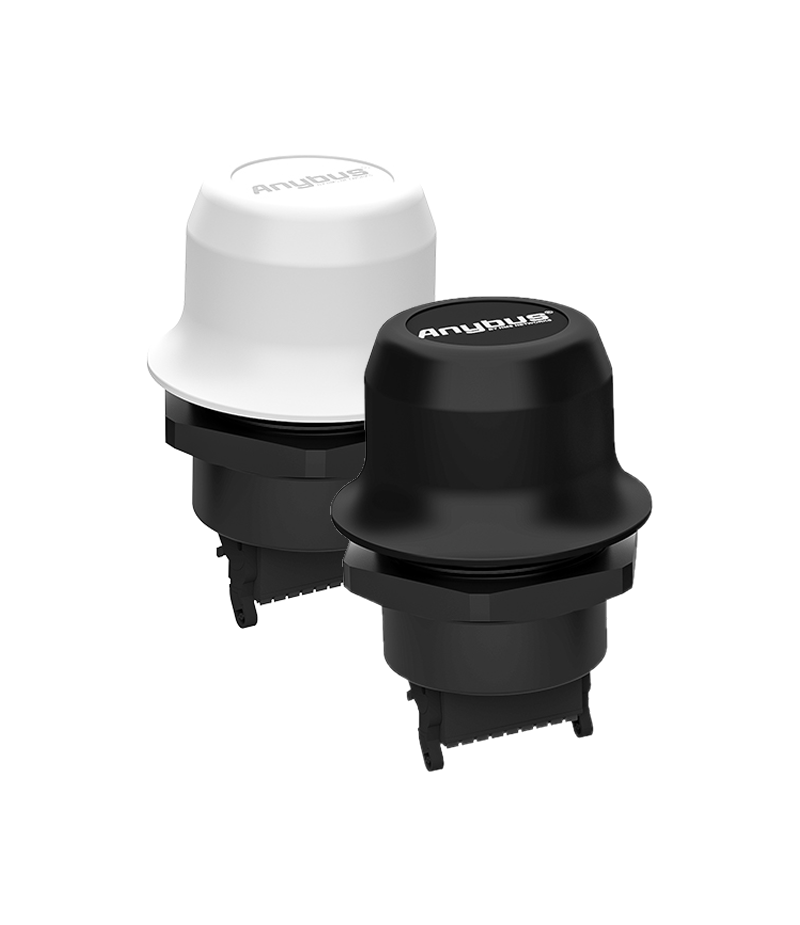
Thanks to its clever bolt design, the module can be easily mounted on machines, vehicles and control cabinets. Furthermore, the connector is conveniently located at the bottom of the housing. This keeps the installation neat and compact. During use, the IP67 rating ensures reliable performance under harsh conditions. Furthermore, the module is resistant to dust, moisture and vibrations. This makes the Wireless Bolt CAN particularly suitable for mobile machinery, AGVs and robotics projects. Industrial automation also benefits from flexible wireless CAN communication. In short, this solution combines simple installation with reliable wireless connectivity.

The Wireless Bolt CAN is also available with a white top. This Sunbolt variant performs better in direct sunlight than the black version. As a result, the maximum ambient temperature is approximately 30% higher. This ensures reliable operation is maintained during outdoor applications and in hot industrial environments.


Features and benefits

  • CAN Classic (2.0A/B with 11/29 bit identifier) to wireless and TCP/IP conversion
  • Wireless communication using Wi-Fi or Bluetooth
  • Maximum range of approximately 100 meters
  • CAN cable replacement: CAN - wireless - CAN
  • Up to 28 freely customizable CAN receive pass-through filters
  • Web-configuration over wireless or Ethernet LAN
  • Robust design with built-in antenna
  • All connections via a single connector
  • Also works with J1939, CANopen, OBD, and other CAN protocols

Tech Specs

Controller

Config =

CAN Mode

CAN high-speed (ISO 11898-2)

CAN Baudrates

10 kBit/s … 1 Mbit/s

CAN pass through

Bridge (CAN-WiFi/BT-CAN) 32 ms
Multi-point 4 nodes 64 ms

WiFi

IEEE 802.11 a, b, g, n, d

WiFi throughput

20 Mbps, max 60 Mbps

WiFi nodes

Max. 7 to access point

WiFi Security

WPA2 Personal, WPA2 Enterprise

Bluetooth

Classic Bluetooth v2.1
Bluetooth Low Energy v4.0

Bluetooth nodes

Max. 7 slaves to master

Wireless range

Max 100 meter
 

Power Supply

9-30 V= (-5% +20%)

Power consumption

WiFi 54 mA at 24 V=
Bluetooth 36 mA at 24 V=

Temperature Bolt Black

Shadow -40 to +65 °C
Sunlight -40 to +45 °C
Storage -40 to +85 °C

Temperature Sunbolt White

Shadow -40 to +65 °C
Sunlight -40 to +65 °C
Storage -40 to +85 °C

Dimensions

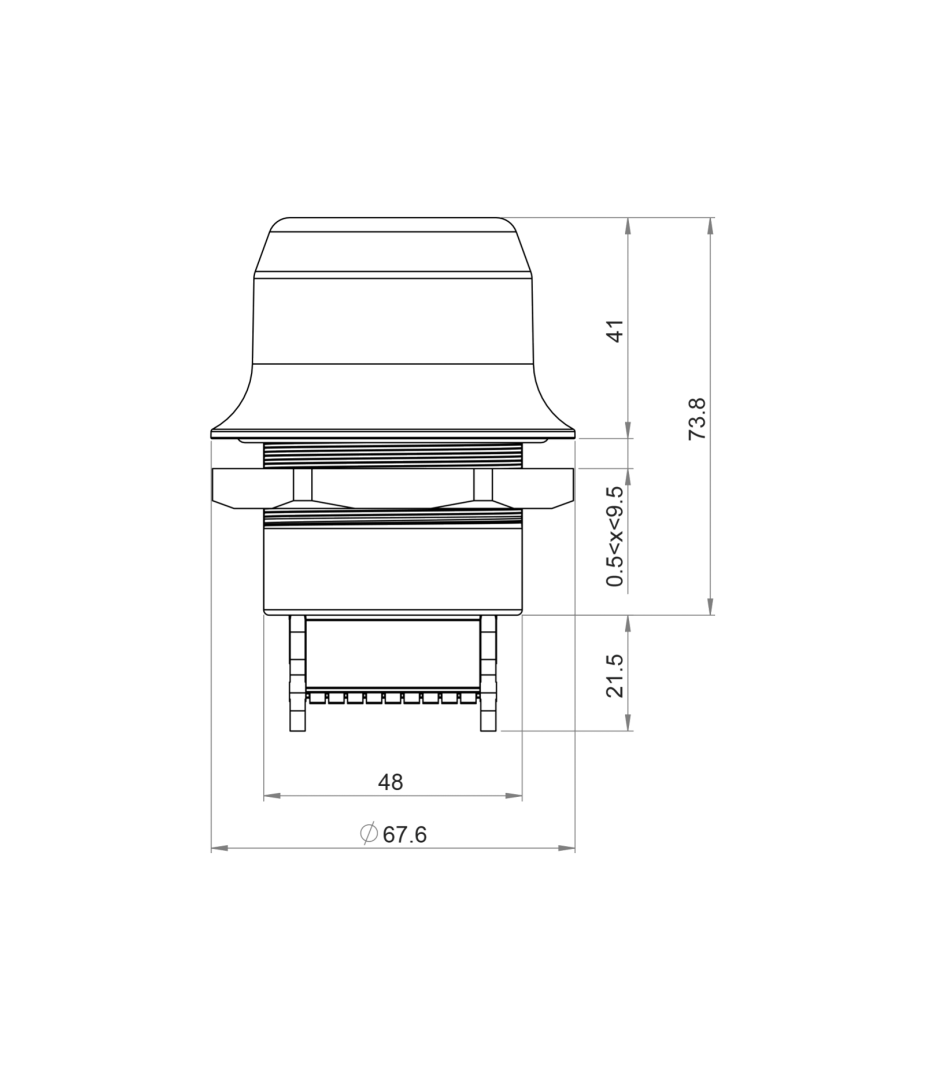
ø68 x 75 mm

Certification

ATEX, RED, CE, UL, FCC

Wireless Bolt CAN

 
The following software is provided free of charge with the Anybus Wireless Bolt CAN. The current version is available for download.

Wireless Bolt CAN

FAQ

  • Is there a CAN terminating resistor built into the Wireless Bolt CAN?

    There is no built-in CAN terminating resistor, and there is no provision for one. If necessary, a terminating resistor can be installed across the CAN connections. Alternatively, we offer the PCAN-Adapter D-Sub to Screw Terminals as an accessory.

  • Does this gateway support CANopen or J1939?

    Yes, the Wireless Bolt CAN works with all CAN messages, including CANopen and J1939

    However, the CAN messages are not interpreted as CANopen or J1939.

  • Can I order on account?

    Yes, that's definitely possible! Most customers place their orders through a Purchase Order.
    First request a quote and then send the purchase order (PO) by email, simply from your own purchasing system. For first time buyers, we may ask additional questions in order to perform a credit check. Please contact us if you require our company details for registration in the purchasing system.

    For security reasons, customers located in, or wishing to ship to, countries outside the Benelux must always pay in advance.

  • Why are all prices available upon request?

    The online webshop is still under construction. As soon as it is available, all prices will naturally be visible.

    However, everything is of course available, and we would be happy to inform you about prices and delivery times. Please contact us or give us a call. We have over 30 years of experience with CAN. We are happy to help you and offer you immediate practical advice or support.


Part number(s)

AWB2020 Wireless Bolt CAN - Zwart
1x CAN
Country of Origin: SW
HS Code: 8517620000
AWB2021 Wireless Bolt CAN - Wit (Sunbolt)
1x CAN
Country of Origin: SW
HS Code: 8517620000
AWB2306 Wireless Bolt CAN Starterkit - Zwart
2x CAN
Country of Origin: SW
HS Code: 8517620000

Scope of Supply

Wireless Bolt CAN
  • User Manual 1
  • Installation Manual 1
  • 18-pin connector
Wireless Bolt CAN Starterkit
  • User Manual 1
  • Installation Manual 1
  • 2x Wireless Bolt CAN
  • 2x Cable set
  • 2x Power adapter
1 Available as PDF

Interested?

Are you interested in the Wireless Bolt CAN? Request a quote without obligation. Would you like more information? Send an email to -Hidden- or visit our contact page. You can also call us at -Hidden-.
Twincomm has over 30 years of experience with CAN. We are happy to help you and offer you immediate practical advice or support.

Also interesting